
Set up the Sui development environment
Start by installing the Sui CLI. This tool manages your local node, handles package builds, and provides the Move compiler needed to write Sui smart contracts.

Open your terminal and run the official installation script. This command fetches the latest binary and adds it to your system path:
curl https://get.sui.io -sSf | sh
Verify the installation by checking the version. This confirms the CLI is ready to communicate with the network.
sui --version
Run the localnet command to spin up a full node on your machine. This creates a single-validator network that mimics the mainnet environment without using real funds.
sui node start --with-indexer
The --with-indexer flag is essential for querying transaction data efficiently. Wait for the node to sync; the terminal will display a success message once the genesis block is loaded.

Connect your wallet to the local environment. Use the Sui CLI to request test tokens from the local faucet so you can deploy contracts and test transactions.
sui client faucet
This gives you the SUI tokens needed to pay for gas and deploy your first Move package. You can now begin writing scalable DeFi logic on Sui.
Design a Move-based liquidity pool
A Sui AMM relies on the object model to manage liquidity as a single, composable unit. Instead of relying on complex internal state variables, you define a Pool object that holds the reserve assets. This structure allows the pool to be transferred, locked, or upgraded as a whole, leveraging Sui’s parallel execution capabilities.
Define the reserve types
Start by defining the token types you intend to support. In Move, types are first-class citizens. You will typically create a wrapper or use existing standard library types for your reserves. Ensure your token types implement the Key and Store abilities if they need to be held inside the pool object.
Create the Pool object
The core of your DeFi primitive is the Pool struct. It should contain the two reserve assets and a unique identifier. Use the struct Pool has key, store pattern to ensure the object can be stored on-chain and moved between accounts. This object becomes the single source of truth for liquidity.
Implement deposit and swap logic
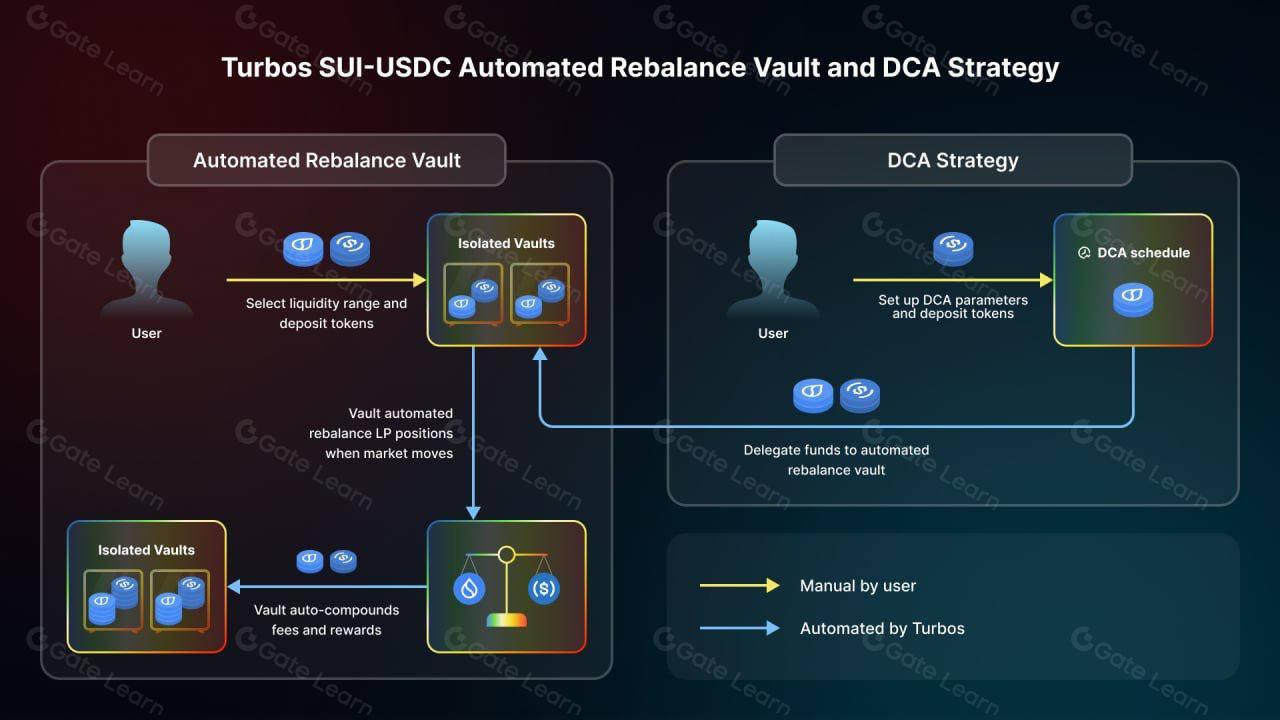
Write functions to handle user interactions. A deposit function adds liquidity to the reserves, while a swap function calculates the output amount based on the constant product formula ($x * y = k$). Because Sui executes transactions in parallel, ensure your swap logic is deterministic and does not rely on external state that could change during execution.
Handle fees and rewards
Finally, implement fee distribution. You can deduct a small percentage from each swap and route it to a fee collector object or distribute it to liquidity providers. This logic should be embedded directly in the swap function to ensure atomicity and security.
Implement swap logic with Move
Writing the swap function in Move requires managing object ownership and ensuring atomicity. Unlike EVM-based chains where state changes happen in a single transaction step, Sui’s object-centric model requires you to explicitly handle the input and output tokens as separate objects. The swap function acts as the core executor, taking the user’s input token, the liquidity pool’s current state, and the desired output token type.
We will walk through the implementation in three steps: defining the function signature, executing the trade calculation, and returning the updated pool state.
The function must accept a mutable reference to the Pool object and the input token being swapped. Because Move is a strongly typed language, you must specify the exact token types involved. This prevents invalid swaps at compile time. The signature typically looks like this:
public fun swap(
  pool: &mut Pool,
  input_token: Coin<INPUT_TOKEN>,
): Coin<OUTPUT_TOKEN>
Here, Pool represents the liquidity reserve, and input_token is the coin object the user is depositing. The return type is the output coin, which will be transferred back to the user.
Inside the function, you first convert the input coin into its raw value using coin_value(&input_token). Next, calculate the output amount based on your chosen pricing model (e.g., constant product formula). Then, update the pool’s internal reserves by subtracting the input value and adding the output value. Finally, extract the input coin from the pool’s storage to remove it from circulation, and create a new coin for the output using coin::from_value(output_value, &mut ctx).
This step ensures that the pool’s state remains consistent and that the math is deterministic.
The final step is to return the newly created output coin. This coin object now holds the value the user is owed. The caller of this function will then transfer this coin to the user’s wallet. Because the entire operation is contained within a single function call, it is atomic: either the swap succeeds and the pool updates, or it fails and reverts completely, leaving no partial state.
This atomicity is critical for DeFi security, preventing front-running or partial fills that could exploit price discrepancies.
By following this sequence, you create a secure, efficient swap mechanism that leverages Sui’s unique object model. Always test your logic with unit tests to verify edge cases, such as zero-value swaps or insufficient liquidity.
Deploy to the Sui testnet
Before moving to mainnet, test your Move contract on the Sui testnet. This environment mirrors mainnet conditions using test SUI tokens, allowing you to verify deployment mechanics and transaction behavior without financial risk.
Install the official Sui CLI to interact with the network. The CLI handles package compilation, publishing, and transaction signing. Verify the installation by running sui --version to ensure you are using the latest stable release.
Deploying contracts requires gas fees. Use the Sui testnet faucet to get free test SUI. You can obtain tokens by entering your wallet address into the official Sui Faucet interface or via the CLI command sui client faucet. Ensure your balance is sufficient to cover the deployment costs.

Navigate to your project directory and run sui client publish --gas-budget 10000. This command compiles your Move code and sends a publish transaction to the testnet. The CLI will return a package ID upon success. Record this ID, as you will need it to interact with your deployed contract.
Confirm the contract is live by querying the package ID. Use sui client object <PACKAGE_ID> to view the published module details. You can also test a simple function call using sui client call --function <function_name> --module <module_name> --package <PACKAGE_ID> --gas-budget 10000 to ensure the logic executes as expected.
Review Sui DeFi ecosystem trends
Before deploying capital or code, map the current liquidity landscape. The Sui ecosystem has evolved from early testnet activity to a mature DeFi environment with distinct protocol specializations. Understanding where liquidity resides helps you build for depth rather than chasing empty pools.
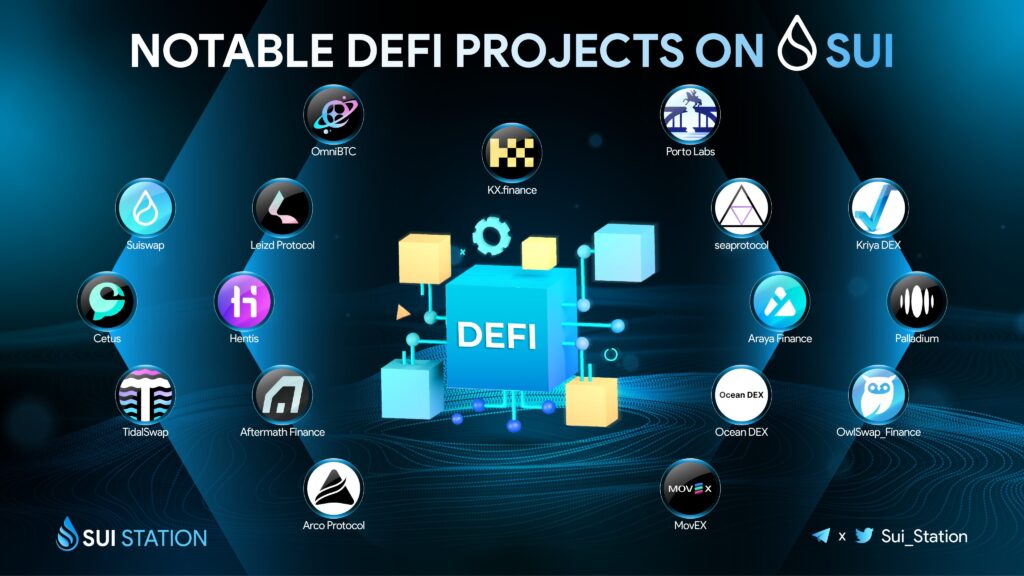
According to DefiLlama, Sui’s total value locked (TVL) and trading volumes are concentrated in a few key pillars: decentralized exchanges, lending markets, and perpetual futures. This concentration means your build will likely interact with one of these three categories.
The following comparison highlights the primary protocols driving this activity. These figures represent the current state of the ecosystem and serve as benchmarks for liquidity depth.
| Protocol | Category | TVL Rank | Primary Use |
|---|---|---|---|
| Cetus | DEX | 1 | Concentrated liquidity swaps |
| Suilend | Lending | 2 | Asset lending and borrowing |
| Bluefin | Perps | 3 | Decentralized perpetual trading |
| Turbos | DEX | 4 | Leveraged spot trading |
| Scallop | Lending | 5 | Isolated lending markets |
Sui DeFi Deployment Checklist
Before pushing your Sui Move contracts to mainnet, run through this final verification sequence. This checklist ensures your protocol meets the security and performance standards expected on high-throughput networks like Sui.
-
Formal Verification: Run Sui Move’s formal verification tools to prove type safety and absence of panics in critical logic.
-
Audit Report: Attach a third-party audit report from a recognized firm. Unaudited contracts face higher scrutiny and risk.
-
Testnet Simulation: Execute full transaction flows on Sui Testnet or Devnet using sui client scripts to validate edge cases.
-
Gas Optimization: Review gas usage with sui gas. Ensure your Move functions fit within block gas limits and user budget expectations.
-
Access Control: Verify public_key and signer arguments are correctly scoped to prevent unauthorized state modifications.
-
Event Emissions: Confirm all critical state changes emit structured events for indexing and off-chain monitoring.
Once these checks pass, you are ready to deploy. Monitor your contract closely for the first 24 hours, watching for unexpected gas spikes or failed transactions that indicate logic gaps.
Common questions about Sui DeFi development
Developers moving to Sui often encounter specific architectural shifts compared to Ethereum or Solana. Understanding Move’s type system and Sui’s object model is essential for building secure DeFi protocols.
How does Move handle asset ownership?
In Move, every asset is an object with a unique ID. Ownership is explicit: an object is either owned by an account (stored in the account’s storage) or held in an ObjectTable. This eliminates the need for complex ERC-20 allowance patterns, as transfers are direct and type-safe.
What is the difference between Sui Move and Ethereum Solidity?
Sui Move is a statically typed, resource-oriented language. Unlike Solidity, where state is global and shared, Move objects are independent. This allows for parallel execution of transactions that touch different objects, significantly increasing throughput for DeFi operations like swaps and lending.
How do I manage gas fees in Sui?
Sui uses a gas model similar to Ethereum but with more granular control. You can specify the maximum gas budget and gas price in your transaction. The network charges based on the computational resources and storage space consumed by the transaction, ensuring fair pricing during high-load periods.
No comments yet. Be the first to share your thoughts!