
Set up your Sui development environment
Building on Sui requires a local environment that mirrors the mainnet architecture. This setup ensures your Move smart contracts compile correctly and interact with the Sui blockchain primitives as intended.
Open your terminal and install the Sui Command Line Interface (CLI). This tool is the primary interface for interacting with the Sui network. You can install it using the official installer script or your package manager.
curl https://release.sui.io/sui install -sSf
Verify the installation by checking the version:
sui --version

Create a new directory for your project and initialize it as a Move package. This command sets up the standard directory structure, including the sources folder where your Move modules will reside.
cd your-project-name
sui move new .
This creates the foundational structure needed to build Sui DeFi primitives. The Move compiler will automatically detect the sources directory for your contract code.

Run a local Sui full node to test your contracts in an isolated environment. This node mimics the mainnet behavior, allowing you to deploy and interact with your smart contracts without risking real funds.
sui start --with-faucet
This command starts both the Sui node and the faucet service. The faucet provides you with test SUI tokens for gas fees and initial liquidity.
Compile your Move code and deploy it to the local network. This step confirms that your environment is correctly configured and your primitives are ready for integration.
sui move build
sui client publish --gas-budget 10000000
If the deployment succeeds, you have a working Sui development environment ready for building DeFi applications.
Implement DeepBook for liquidity
DeepBook is Sui’s native order book primitive, designed to replace the broad, dispersed liquidity of traditional AMMs with concentrated, institutional-grade depth. Instead of spreading capital across an infinite curve, DeepBook allows liquidity to be allocated to specific price ranges. This structure mirrors centralized exchanges, offering tighter spreads and better capital efficiency for traders while reducing impermanent loss for liquidity providers who manage their positions actively.
To implement this, you must treat liquidity not as a passive deposit but as an active position management task. The process involves selecting the right sub-account structure, defining precise price ranges, and executing the order book operations via the Sui SDK.
DeepBook uses a sub-account model to isolate liquidity and manage permissions. Before adding capital, initialize a sub-account using the deepbook::createSubAccount function. This creates a unique identifier for your liquidity pool that can be independently managed or delegated. Without a sub-account, you cannot place limit orders or manage concentrated liquidity positions effectively.
Concentrated liquidity requires precision. Determine the entry and exit prices for your liquidity provision based on current market volatility. DeepBook operates on a tick system; ensure your chosen range aligns with the protocol’s minimum tick size. Narrower ranges provide higher capital efficiency but require more frequent rebalancing. Wider ranges offer passivity but lower returns per unit of capital deployed.
Use the deepbook::addLiquidity function to deposit your assets into the specified sub-account and price range. You will need to provide both legs of the trading pair (e.g., SUI and USDC). The protocol will calculate the exact amounts based on the current mid-price and your chosen range. Verify the transaction details before signing to ensure your capital is allocated correctly.
Unlike AMMs, liquidity in DeepBook becomes inactive if the market price moves outside your set range. Monitor your position’s active status regularly. When the price breaches your boundaries, you must rebalance by removing the inactive liquidity and redeploying it to a new range centered around the current market price. This active management is essential to maintaining yield and avoiding idle capital.
Structure transactions for parallel execution
Sui’s Move 2.0 runtime processes transactions in parallel rather than sequentially. This architecture allows multiple independent operations to execute simultaneously, significantly increasing throughput. To leverage this, you must structure your transactions to minimize resource contention.
Before submitting a transaction, map out every object and resource it accesses. Identify which objects are read-only and which are modified. If two transactions modify the same object, Sui will serialize them, forcing one to wait for the other. Isolate independent operations to allow true parallel processing.
Bundle multiple actions that touch different objects into a single transaction. For example, if you are swapping tokens and depositing liquidity, ensure these actions involve distinct object IDs where possible. This reduces the number of round trips to the network and allows the executor to process the internal logic in parallel.
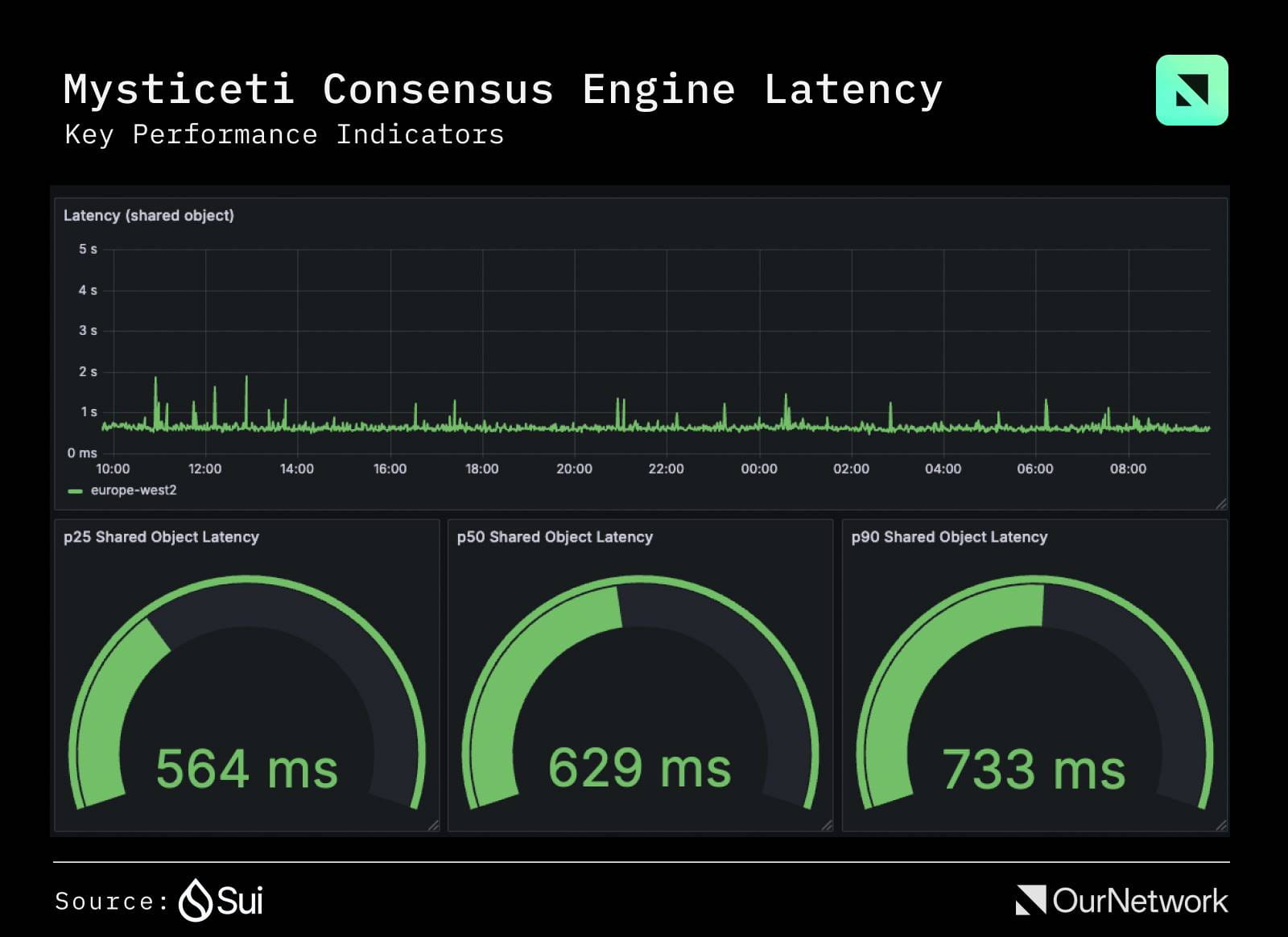
Shared objects require consensus for every write, which serializes execution across the entire network. Unless your protocol specifically requires global state consistency (like a shared liquidity pool), use owned objects for user-specific data. Owned objects can be processed in parallel without consensus overhead.
Use Sui’s testnet to simulate high-concurrency scenarios. Submit multiple transactions simultaneously and monitor the execution logs. If you see serialization bottlenecks, revisit your object access patterns. Optimize by splitting large transactions or redesigning resource ownership to maximize parallelism.
Secure assets with the Kiosk
The Kiosk is Sui’s built-in permission system for NFTs and fungible tokens. It acts as a digital vault that enforces strict access rules, preventing unauthorized transfers or sales. By default, assets on Sui are open, but the Kiosk allows creators and platforms to lock them down, ensuring only approved wallets can interact with specific tokens.
To use the Kiosk, follow this sequence:
Initialize a Kiosk instance on the Sui network. You can use the official Sui Kiosk framework to deploy a new instance or interact with an existing public Kiosk. This step establishes the secure container for your assets.
Transfer the NFTs or tokens you want to protect into the Kiosk’s storage. Once inside, these assets are bound by the Kiosk’s policy. You retain ownership, but the ability to move or sell them is now restricted by the rules you set.
Set the rules for interaction. You can allow specific wallets to view or trade the assets, or restrict transfers entirely. Policies can be granular, allowing you to permit sales only through certain marketplaces or to specific buyers.
Test the permissions by attempting to transfer the asset from an unauthorized wallet. The transaction should fail, confirming the Kiosk is working. Once verified, the asset is fully secured under the defined policy.
The Kiosk simplifies asset management by handling the complex logic of access control. Instead of writing custom smart contracts for every security need, you leverage a standardized primitive that the Sui ecosystem already supports. This reduces development time and minimizes the risk of security flaws in your permission logic.
For detailed implementation guides, refer to the official Sui documentation on Kiosks.
Deploy and verify your contract
Deploying a smart contract on Sui requires moving from local simulation to on-chain validation. Because Sui handles object ownership differently than EVM chains, the deployment command and verification steps differ significantly. Follow this sequence to ensure your Sui DeFi primitives are live and auditable.
Before touching mainnet, run sui client publish --gas-budget 50000000. This command compiles your Move code and simulates the transaction locally. It confirms that your contract logic executes without runtime errors and helps you estimate the exact gas cost. Never skip this step; failed deployments on mainnet still consume gas.
Once local simulation succeeds, deploy to the Sui mainnet using the same publish command but targeting the mainnet network. The Sui CLI will broadcast the transaction to the network. Wait for the transaction digest to confirm that the contract is now live and its object ID is registered on-chain.
Verification is optional but critical for trust in DeFi. Use the Sui Explorer or a block explorer like Suivision to upload your source code alongside the contract’s object ID. This allows other developers to audit your logic. Sui’s object-centric model means verification ties directly to the specific object instance, ensuring transparency for liquidity providers.
-
Run local simulation with `sui client publish`
-
Check gas budget covers compilation costs
-
Verify object ID on Sui Explorer
-
Upload source code for public audit
If your deployment fails, check your Move dependencies. Sui requires explicit package imports for standard libraries like std::string or sui::transfer. Ensure your Move.toml references the correct Sui framework version. For deeper guidance on how primitives interact during deployment, refer to the official Sui blog on primitives.
Common sui defi: what to check next
Navigating the Sui ecosystem requires understanding how its unique object-centric model changes the rules of engagement compared to other blockchains. Below are answers to the most frequent questions about protocols, token utility, and asset security.
No comments yet. Be the first to share your thoughts!