
Set up your Sui development environment
To build with Sui DeFi primitives 2026, you need a local environment matching the current network. This ensures your Move compiler and wallet communicate with the Sui blockchain without version conflicts.
Install the Sui CLI
The Sui Command Line Interface (CLI) manages package compilation, transaction signing, and network interaction.
- Open your terminal.
- Run the official installation script:
Shell curl https://install.sui.io/sui-github-release -sSf | sh - Verify the installation:
Shell sui --version
Configure Your Wallet
Use Sui Wallet or Suiet Wallet for testing. Install the browser extension and create a new testnet account. Never use mainnet private keys during development.
Get Testnet SUI
Visit the Sui Faucet to fund your testnet wallet. These tokens have no real-world value but allow safe practice of yield strategies and liquidity pool interactions.
Design smart contracts using the Sui object model
Sui DeFi primitives 2026 shift from global state variables to unique, independent objects. This object-oriented approach enables parallel processing and composability that global state cannot support.
Structure your logic around the object lifecycle: creation, transfer, and destruction. Each asset—token, liquidity position, or yield-bearing vault—exists as a distinct entity with its own ID and metadata.
1. Define the Asset Structure
Define the Move struct for your asset. Use key and store capabilities to ensure the object can be held in accounts and transferred. This replaces generic balance maps found in EVM-style contracts.
2. Implement Object Creation
Mint a new object representing the user’s position upon deposit. This object carries the user’s share of liquidity, enabling fine-grained access control and individual tracking of yield accrual.
3. Handle Transfers and Composition
Design functions to transfer or swap these objects. Because each object is unique, you can compose them with other primitives. For example, a liquidity position object can be directly deposited into a yield vault without burning and re-minting tokens.
4. Manage Destruction and Withdrawal
Burn the position object and return underlying assets when a user withdraws. This prevents resource leaks. Finalize all associated metadata and yield calculations before destruction.

Define the Move struct for your asset. Use the key and store capabilities to ensure the object can be held in accounts and transferred across the network. This structure replaces the generic balance maps found in EVM-style contracts.
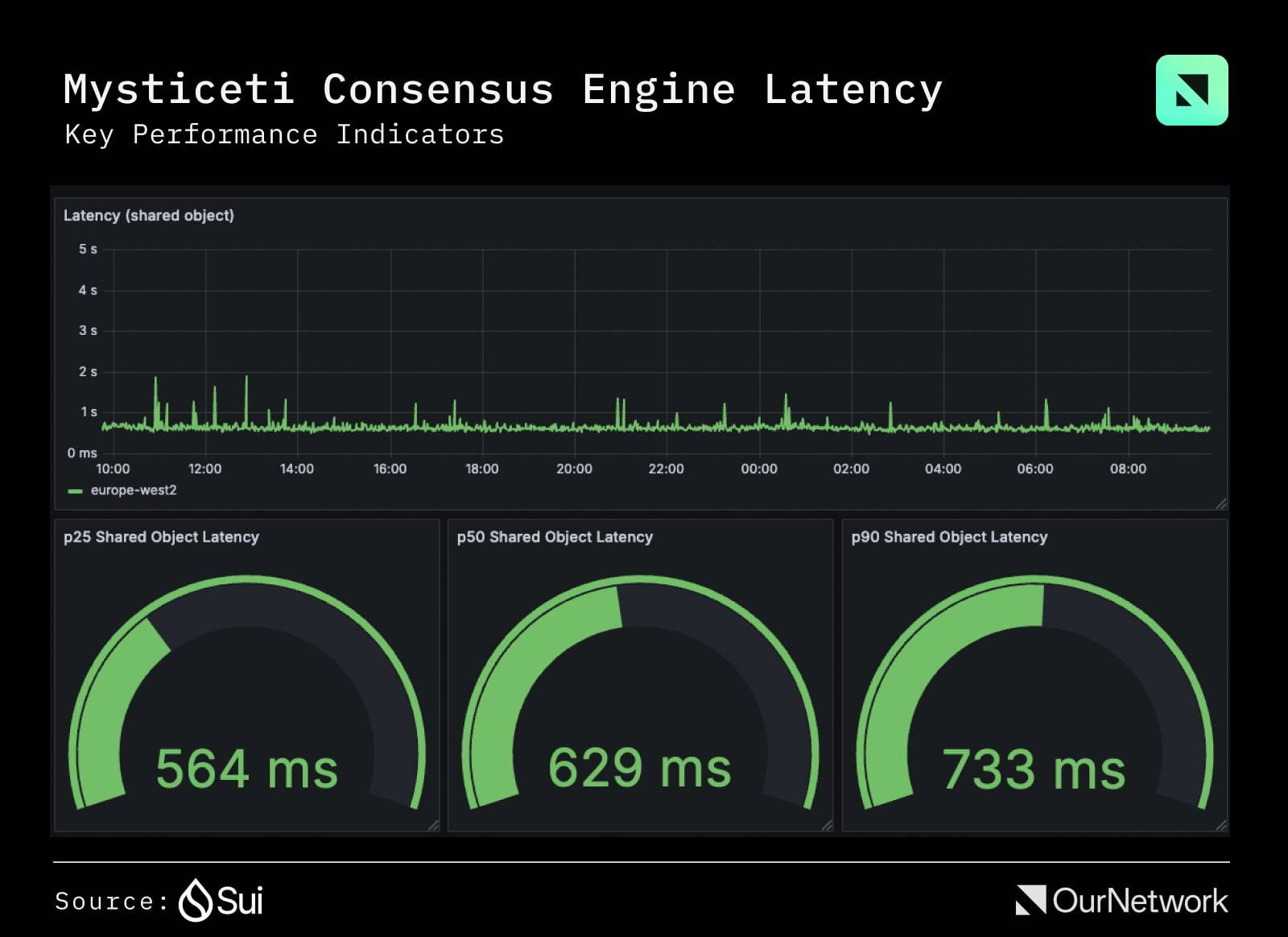
When a user deposits funds, your contract should mint a new object representing their position. This object carries the user’s share of the liquidity. By creating a unique object for each deposit, you enable fine-grained access control and individual tracking of yield accrual.

Design functions that allow these objects to be transferred or swapped. Because each object is unique, you can compose them with other primitives. For example, a liquidity position object can be directly deposited into a yield vault without needing to burn and re-mint tokens.
When a user withdraws, the contract burns the position object and returns the underlying assets. This destruction phase is critical for preventing resource leaks. Ensure that all associated metadata and yield calculations are finalized before the object is destroyed.
This object-centric design allows developers to build complex financial instruments that are both efficient and secure, leveraging the unique capabilities of the Sui blockchain.
Integrate DeepBook for parallel liquidity
DeepBook is Sui’s native decentralized exchange infrastructure, designed for high-throughput trading without EVM bottlenecks. By leveraging Move’s object model, it allows multiple trades to execute in parallel, reducing latency and improving capital efficiency.
Step 1: Connect a Move-Compatible Wallet
Ensure your wallet supports Sui’s Move objects. Verify that your account can sign Move transactions and hold Sui objects directly. Standard EVM-style address interactions may not work without proper Move transaction formatting.
Open your wallet settings and confirm Sui network connectivity. Ensure you hold a small amount of Sui for gas fees. DeepBook transactions require object signatures, so standard EVM-style address interactions may not work without proper Move transaction formatting.
Navigate to the official DeepBook interface or a trusted aggregator. Look for the "Trade" or "Swap" tab. The interface should display available pools, including DeepBook Margin pools for leveraged positions.
Choose a trading pair that aligns with your strategy. DeepBook offers concentrated liquidity pools for tighter spreads. For high-frequency trading, select pools with high depth. For yield farming, consider automated liquidity vaults that rebalance positions automatically.
Input your trade parameters. DeepBook’s architecture allows this transaction to be processed in parallel with others on the network. Review the gas estimate and confirm the transaction. The speed of execution is a key advantage of using Sui DeFi primitives 2026, often resulting in near-instant settlement.
Step 2: Monitor and Manage Positions
Monitor your position through the DeepBook dashboard. The platform provides real-time data on slippage, volume, and your share of the pool. For advanced users, DeepBook Margin allows for leveraged positions, which require careful monitoring due to liquidation risks.
Step 3: Optimize for Yield
Deposit idle assets into DeepBook’s automated liquidity vaults. These vaults automatically adjust liquidity ranges to capture trading fees more efficiently than manual management. This passive approach is ideal for long-term holders of Sui DeFi primitives 2026 who want to earn yield without constant active management.
Deploy automated yield vaults
Automating yield strategies on Sui relies on Programmable Transaction Blocks (PTBs). These blocks bundle multiple operations into a single atomic execution, ensuring yield farming logic runs exactly as intended without intermediate state failures.
1. Define the strategy parameters
Specify the target asset, yield source, and rebalance frequency. In the Sui Move environment, define these as struct types within your smart contract. This ensures the vault’s behavior is immutable once deployed, reducing runtime errors.
2. Construct the PTB
Build the transaction block to handle core logic: depositing assets, swapping if necessary, and claiming rewards. Use split and join operations to manage coin fractions efficiently. Structuring your PTB to minimize resource contention reduces gas costs and execution time.
3. Test on the testnet
Run your PTB against the Sui testnet before mainnet deployment. Verify that the vault correctly handles edge cases, such as zero-balance deposits or failed swaps. The Sui Monthly February 2026 update highlights expanded financial primitives, including automated liquidity vaults, which serve as excellent reference implementations.
4. Deploy and monitor
Deploy the contract to the mainnet and publish the module. Use the Sui Explorer to monitor the vault’s transaction history and asset composition. Regularly review yield performance and adjust strategy parameters if market conditions shift.
-
Verify PTB atomicity for all deposit/withdraw paths
-
Test gas limits with simulated high-volume transactions
-
Confirm smart contract audit status
-
Set up alerts for vault balance deviations
Common mistakes in Sui DeFi development
Building on Sui DeFi primitives 2026 requires a shift from account-based mental models to object-centric concurrency. Developers often stumble when they ignore how ownership and borrowing interact under the hood.
Violating object ownership rules
The most frequent crash occurs when code attempts to access an object that has already been moved or destroyed. In Sui, ownership is strict: an object can only be owned by one entity at a time. Always verify the object’s state before attempting to borrow or modify it to prevent "object not found" errors.
Ignoring concurrency limits
Sui allows parallel execution, but this introduces subtle race conditions if not managed correctly. Assuming two transactions affecting the same liquidity pool can proceed independently is a common pitfall. If both transactions try to update the same object’s state without proper locking or versioning, one will overwrite the other. Use Sui’s versioning system to ensure concurrent operations are serialized correctly when touching shared state.
Misusing shared objects
Shared objects are powerful for cross-transaction consistency but come with a performance penalty. Developers often overuse shared objects for assets that should remain private. Reserve shared objects for global state, like a pool’s reserve balance, and keep user-specific assets as owned objects to maximize parallelism.
No comments yet. Be the first to share your thoughts!